Best practices for recording high-quality audio for better transcription accuracy.
In today’s digital age, clear and high-quality audio recordings are essential for everything from podcasts and interviews to virtual meetings and lectures. Not only do they enhance the listener’s experience, but they also significantly improve transcription accuracy when converting speech to text. Poor audio quality can lead to misunderstandings, misinterpretations, and increased time spent on editing transcriptions. To help you achieve the best possible results, we’ve compiled a list of tips for recording clear and effective audio.
1. Choose a Quiet Environment
Background noise is the enemy of clear audio. Whenever possible, select a quiet location away from traffic, crowds, air conditioners, or other ambient noises. Even subtle sounds can be picked up by sensitive microphones and interfere with the clarity of your recording.
2. Use a High-Quality Microphone
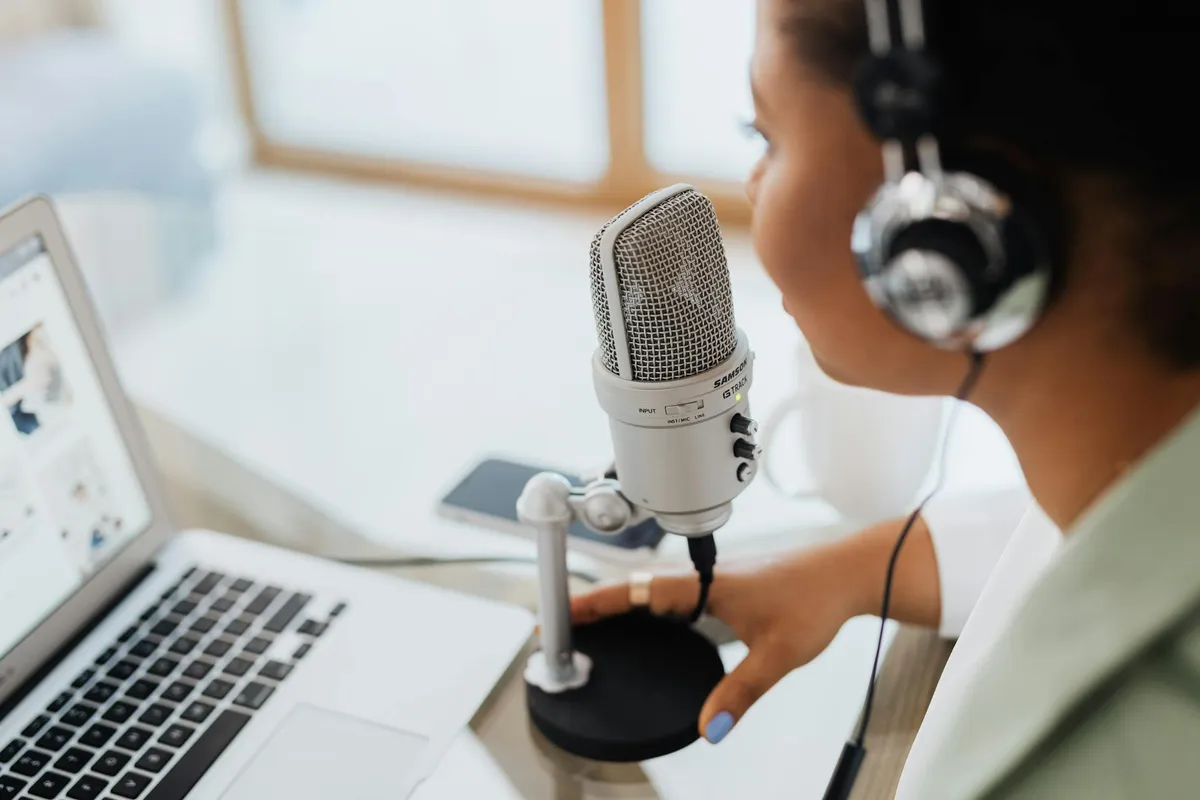
Investing in a good microphone pays off. Built-in microphones on laptops or smartphones often produce subpar audio. External microphones, such as USB condenser mics or lapel mics, offer better sound quality and pick up less background noise.
3. Position the Microphone Correctly
Placement matters. Position the microphone about 6-12 inches away from the speaker’s mouth. This distance reduces the pickup of plosive sounds (like “p” and “b”) and minimizes the impact of breathing noises. Adjust the angle slightly off-axis to further reduce these effects.
4. Minimize Echo and Reverberation
Hard surfaces reflect sound. Rooms with lots of hard surfaces can cause echoes. To dampen sound reflections, record in a room with carpeting, curtains, or upholstered furniture. Alternatively, consider using acoustic panels or foam to absorb excess sound.
5. Monitor Your Audio Levels
Avoid distortion and clipping. Use headphones to monitor the recording in real-time. Ensure that the audio levels are neither too low (which can introduce hiss when amplified) nor too high (which can cause distortion). Aim for levels that peak around -12 dB to -6 dB.
6. Speak Clearly and Consistently
Articulation enhances clarity. Encourage speakers to enunciate words clearly and maintain a steady pace. Avoid mumbling or speaking too quickly. Pausing between thoughts can also give listeners and transcription software time to process the information.
7. Limit Overlapping Dialogue
One voice at a time. When multiple people are speaking, ensure they take turns. Overlapping dialogue can confuse transcription software and make manual transcription more challenging.
8. Use Pop Filters and Windscreens
Reduce unwanted noises. Pop filters shield the microphone from bursts of air caused by plosive consonants. Windscreens are essential when recording outdoors to minimize wind noise.
9. Test Your Setup Before Recording
Prevent issues before they occur. Do a short test recording to check for any technical issues or unexpected sounds. Listen back with headphones to ensure the audio is clear and adjust settings as necessary.
10. Record in a High-Quality Format
Don’t compress your audio unnecessarily. Use uncompressed or lossless audio formats like WAV or AIFF for recording. These formats retain the full quality of the audio, which is beneficial for transcription accuracy. Compressed formats like MP3 can degrade audio quality.
11. Keep Equipment Stable
Avoid handling noises. If using a handheld recorder or microphone, minimize movement to prevent handling noise. Consider using a microphone stand or shock mount to keep the equipment steady.
12. Maintain Consistent Settings
Consistency is key. Keep the same microphone, recording environment, and settings throughout your session. Changes can lead to variations in audio quality, making transcription more difficult.
13. Limit Electronic Interference
Electronics can introduce noise. Keep cell phones and other electronic devices away from the microphone and recording equipment to prevent interference like buzzing or humming sounds.
14. Backup Your Recordings
Protect your work. Always save a backup copy of your audio files in a secure location. This practice safeguards against data loss due to technical failures or accidental deletions.
15. Consider Professional Assistance
Sometimes, expertise makes a difference. If audio quality is critical, consider hiring a professional audio engineer or using a recording studio. Their expertise and equipment can significantly enhance the quality of your recordings.
By implementing these best practices, you’ll not only improve the listening experience for your audience but also enhance the accuracy of transcriptions. Clear audio reduces the likelihood of errors and misunderstandings in the transcription process, saving time and ensuring that the final text accurately reflects the original speech.
At iMemo, we understand the importance of high-quality audio in producing precise transcriptions. Whether you’re recording a podcast, conducting interviews, or capturing lectures, following these tips will help you achieve the best results.
Happy recording!